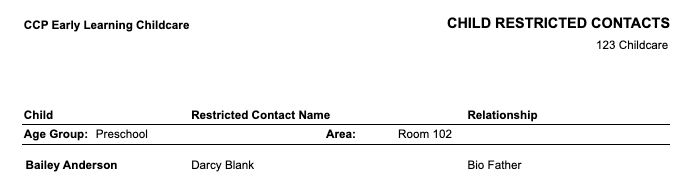
This report displays any children that have an associated restricted contact.
To access:
- Go to reports > Child
- Family Support
- Child Restricted Contacts
Filters available:
- Location
- Age Group
- Area
- Contacts (children within the location)
- Display Name (First Name Last Name, Last Name First Name)
- View Style:
- PDF Child Restricted Contacts without photo (does not display the child’s photo on file)
The report displays the following information:
- Child Name
- Age Group
- Area
- Restricted Contact Name
- Relationship to child