
To review:
There are different ways you can view an already processed invoice.
- Through the Payer’s Account
- Through the Find Document
- Through the Invoice List Reports
- Through the Payer’s Account
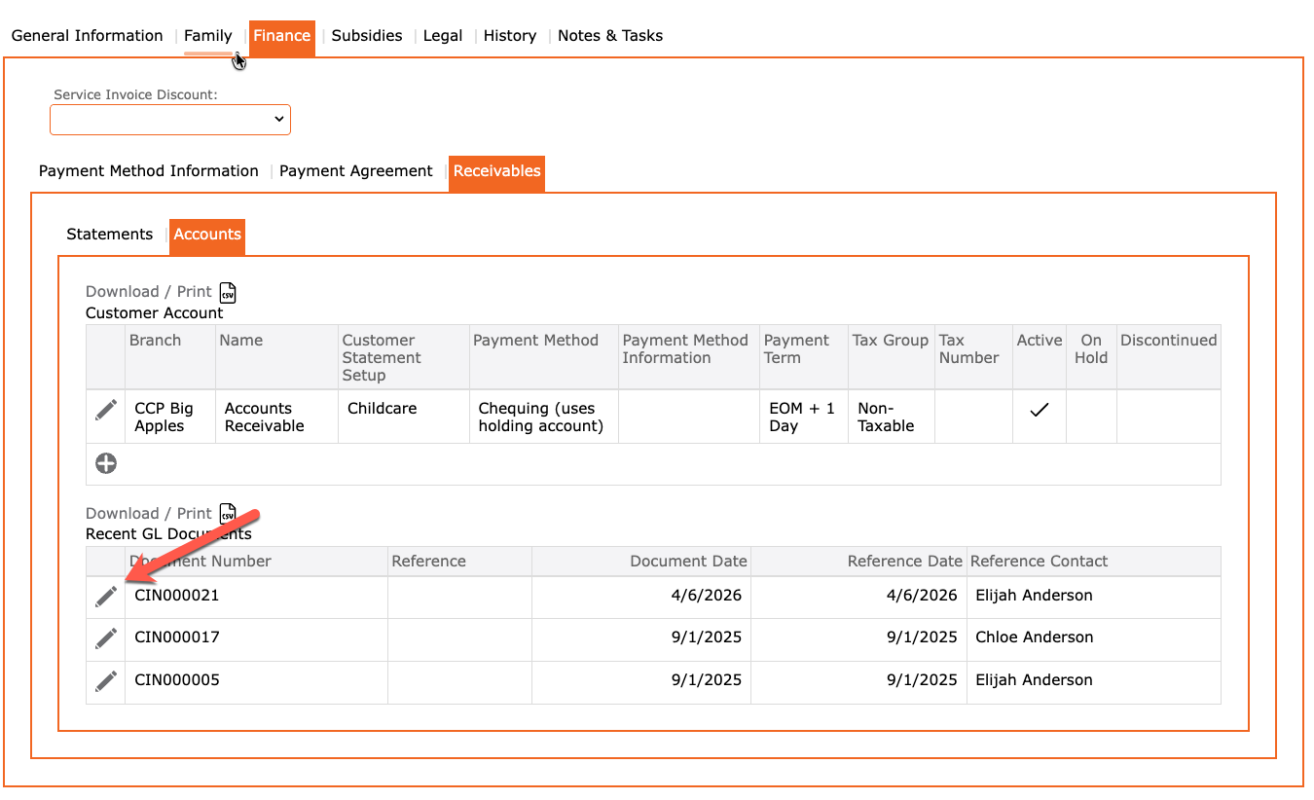
- Go to Contacts > Search for the Payer
- In the Account, click on the Finance tab
- Select the Receivables tab
- Select the Accounts tab
- Documents with the prefix = CIN are Invoices
- Click on the Edit pencil to view details
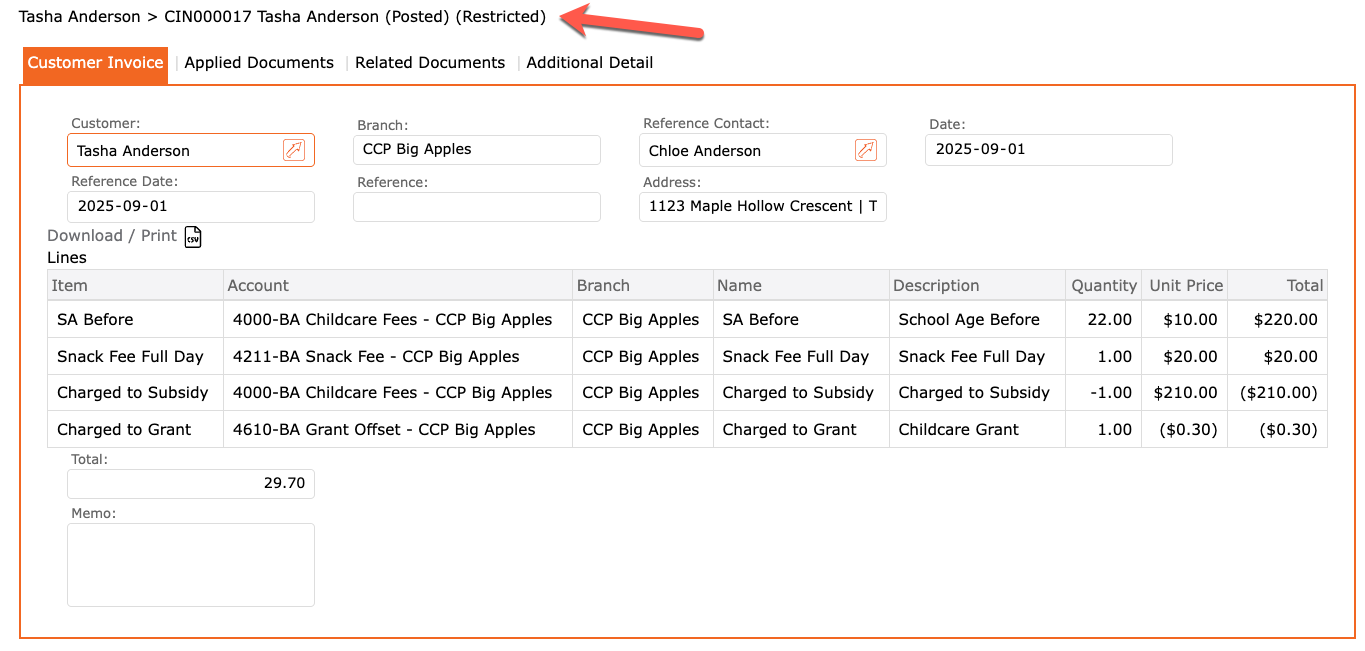
NOTE: System generated (batch invoices), cannot be voided. These will be marked as “restricted”
2. Through the Find Document
- Go to Accounts Receivable
- Select Find Document
- Enter data into fields as per search required
- Quick options:
- Search Text = enter the document number if you know it > click GO
- OR
- Contact Name = enter the payer’s name > Click GO
- OR
- Document Types = Select Customer Invoices > Click GO
- Try different options to see what works best for your search
3. Through the Invoice List Report
- Go to Reports
- Select Accounting
- Select Billing
- Select Invoice List
- Enter data into fields as per search required
- View style = different PDF and CSV layouts
- Click GO to display report