Batch Customer Credits can be used to bill the same fee to multiple payers at one time.
Before creating batch credits, ensure that each child’s payer has been designated as a Default Payer within the child’s account. This allows the system to identify the correct payer to invoice for each child.
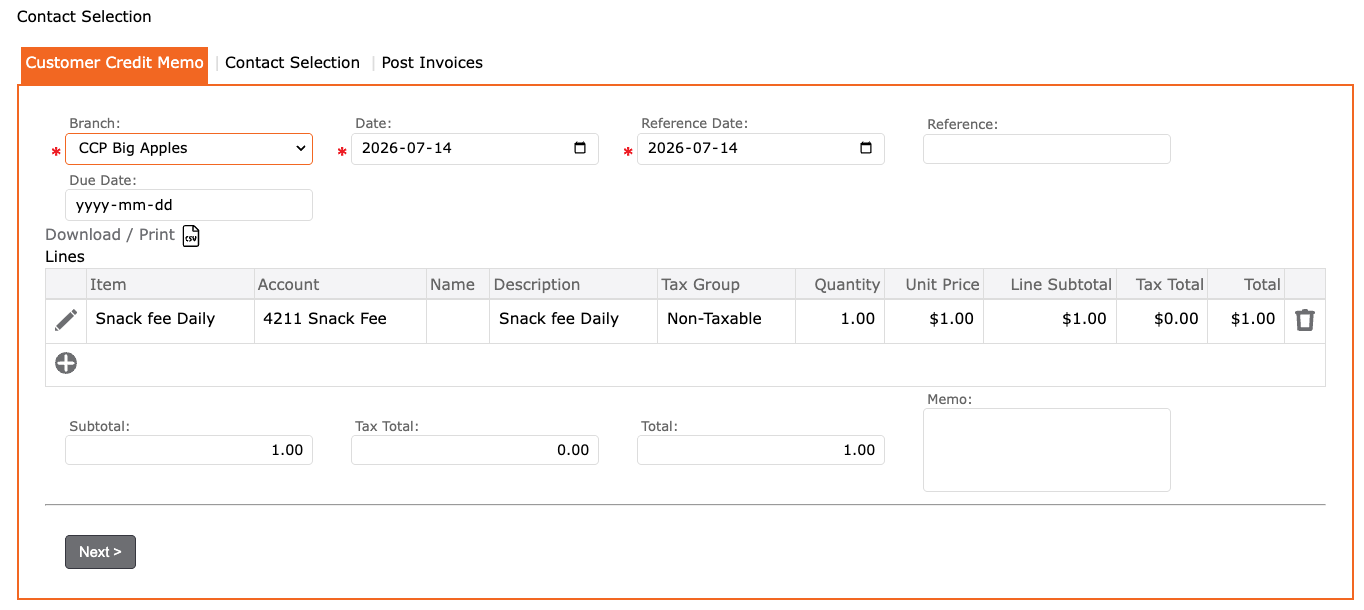
Customer Credit Memo tab:
- Go to Accounts Receivable
- Select Batch Customer Credits
- In the Customer Credit tab:
- Select Branch
- Date
- Reference Date
- Reference = a note that displays on the payer’s statement
- Due Date
- Lines table
- Click the “+” to add the Fee Item
- Account = should auto populate when you tab off
- Description
- Quantity
- Unit Price
- Subtotal
- Click the checkmark to apply
- Review information
- Click NEXT
- Lines table
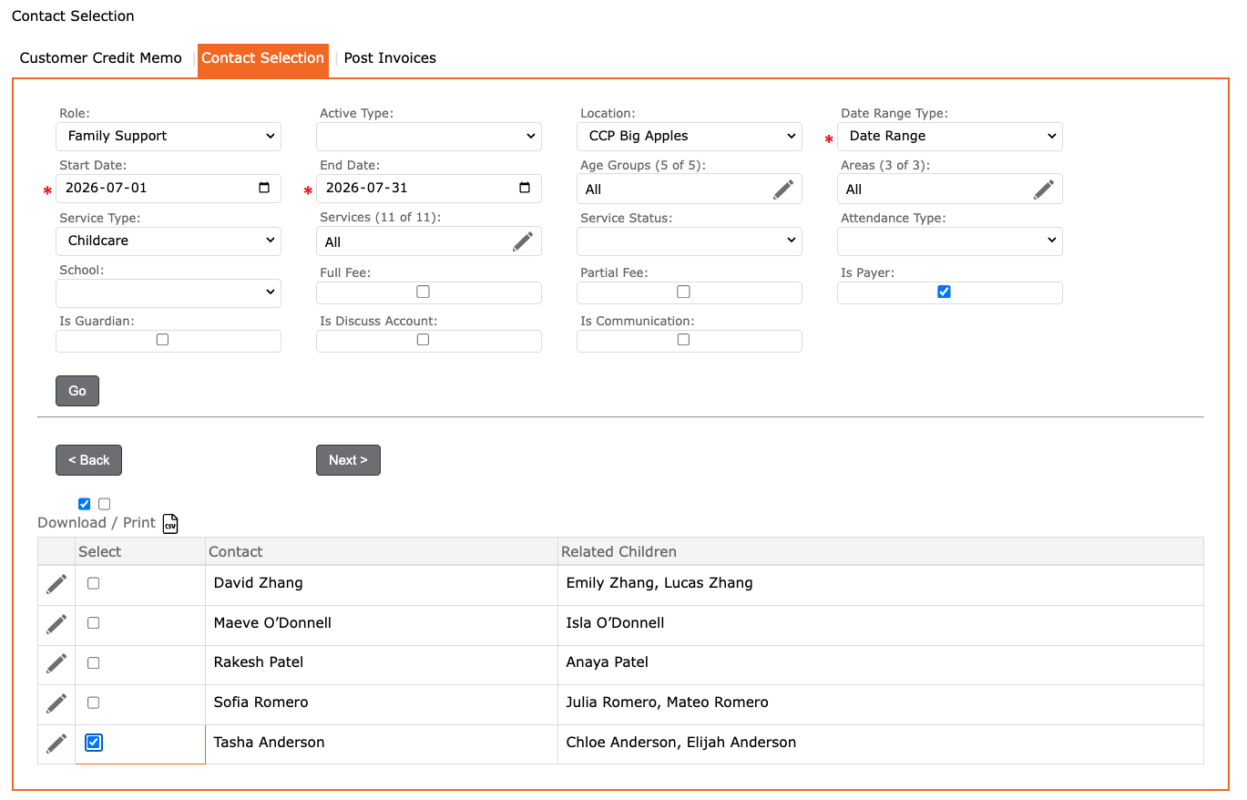
Contact Selection tab:
- In the Contacts Selection tab:
- Select filters to find the payers you would like to charge the sunscreen fee
- Click GO to display list of payers
- Select the payers you would like to charge (blue checkmark)
- Review selections
- Click the NEXT
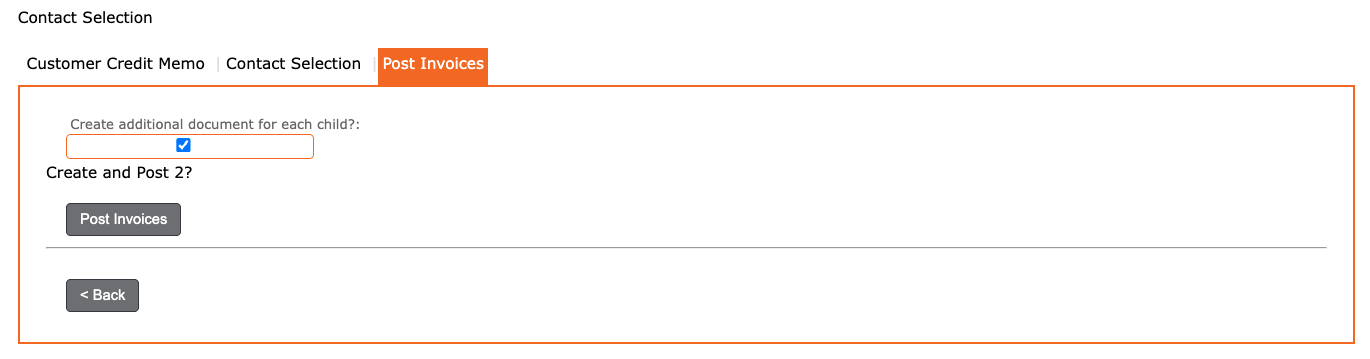
Post Invoices tab:
- In the Post Credits tab:
- Review
- “Create additional document for each child?”:
- Select this option if you want to apply a credit (document) to each child associated with the payer.
- Leave this option unselected if you want to apply one credit per payer, regardless of how many children are associated with that payer.
- Click the POST CREDITS button to complete.