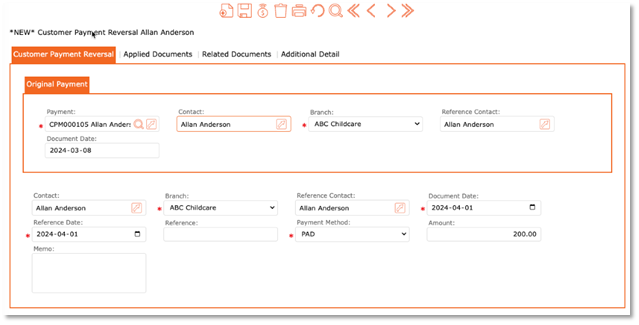
Follow these steps to reverse a payment.
A Payment Reversal can be used when payments have been accidentally or incorrectly included in a posted Bank Deposit.
If a bank deposit has not yet been posted, you can void the recorded payment should you need to make any adjustments to that payment.
(Payments cannot be voided when included in a posted Bank Deposit)
- Accounts Receivable.
- Payments.
- Payment Reversal.
- Payment = Select the search button or enter the payment document number. (CPM000__)
- Contact Name = Enter in the payer’s name.
- Select = GO.
- Select the payment that needs to be reversed.
- Review information for accuracy
- When ready to complete, click the POST icon found at the top of the page.