
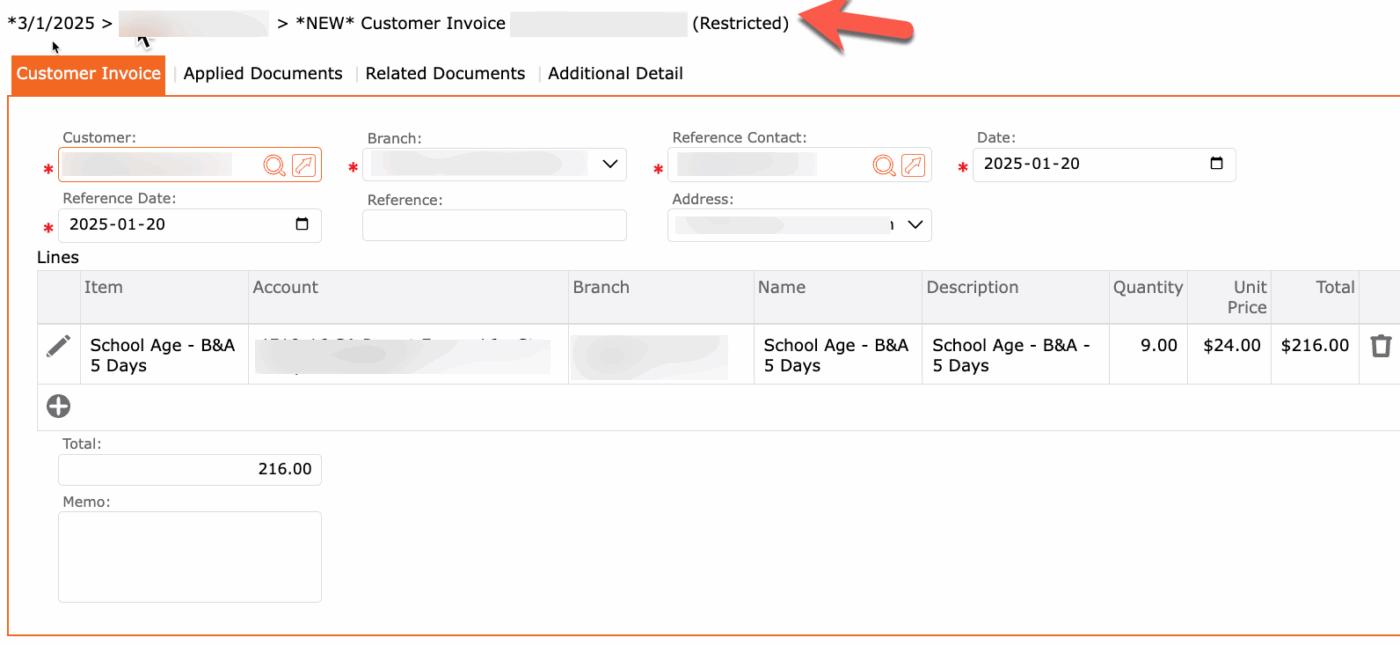
The term “restricted” found at the end of the invoiced name signifies that this invoice was system generated (through accounts receivables > Billing > Invoices). It is part of a batch.
The restricted means this invoice cannot be voided or modified unless the service is updated.
NOTE: Only manual invoices and manual credits can be voided.
Services modified would be when a child’s service end date (until date) needs to be updated because either they are moving to another service or they are withdrawing.
Updating the End Date (Until Date) will trigger the system to recalculate any previously generated invoices and apply the necessary adjustments.
When an End Date (Until Date) is modified, the resulting recalculations will be displayed during the next batch invoicing process and identified with a yellow caution icon (⚠️). This indicator serves as a notification that changes have been made to previously invoiced amounts.
Please review all recalculations carefully to ensure that the adjustments are accurate and reflect the intended changes before proceeding with posting.