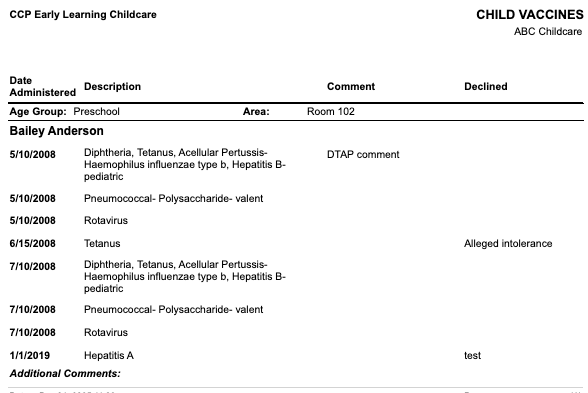
The Child Vaccines Report displays the vaccines entered into the system on the Child’s Account > Health > Vaccine tab.
To access:
- Go to the left menu > Reports
- Child
- Health
- Child Vaccines
Filters available:
- Location
- Age Group
- Area
- Contacts (children in the location)
- Display Name (First Name Last Name, Last Name First Name, et.c)
- View Style:
- Grid (CSV)
- PDF Child Vaccines without photo (no photo on the child’s account)
Displayed on the report:
- Location
- Date Administered
- Vaccine
- Description
- Comment
- Declined
- Age Group
- Area