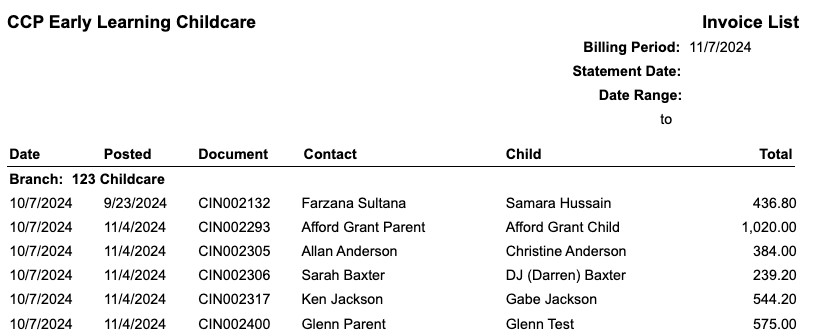
The Invoice List Report displays the invoice details as per the dates selected in the filters. The report is grouped by Branch(Location), followed by the date and document number. The report also displays a total receivables for each Branch, as well as a Total Receivables for the report itself.
How to access:
- Left Menu > Reports
- Accounting
- Billing
- Invoice List
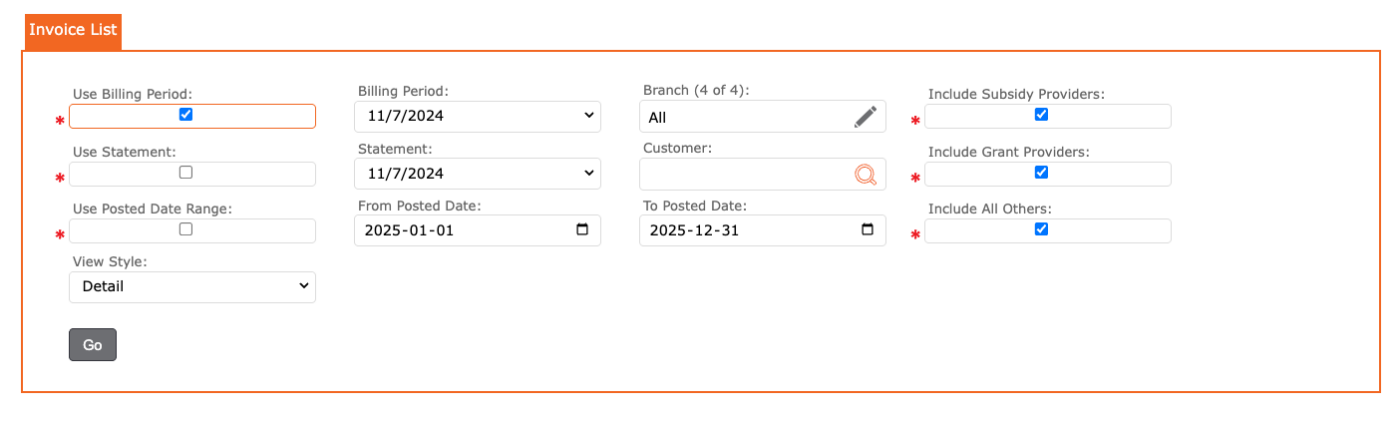
The user can filter by:
- Use Billing Period Dates or,
- Use Statement Dates or,
- Use Posted Date Range
- Branches = select one or all
- Customer = can be left blank, or the user can enter the customer/ payer name for a more specific search
- Include Subsidy Providers
- Include Grant Providers
- Include All Others
- View Style = report layout display
Report displays the following:
- Branch Name,
- Date,
- Posted Date,
- Document Number,
- Contact Name,
- Child Name,
- Total