
If the subsidy was missed on the last statement, please follow these steps:
Step 1 – Create a manual invoice to Subsidy for the missed amount (reference the child with missed subsidy)
Step 2 – Create a manual credit to the Payer for the same missed amount as in the invoice to subsidy(reference the same child as in the invoice to subsidy)
To create a manual invoice to subsidy
- Accounts Receivable
- Billing
- Create a manual invoice to the subsidy provider,
- Make sure to reference the child,
- Under “Lines”
- Click the +
- Item = Select the Subsidy item
- Fill out the dollar amount missed
- Click check mark to confirm
- Review information
- Click the POST icon when to complete
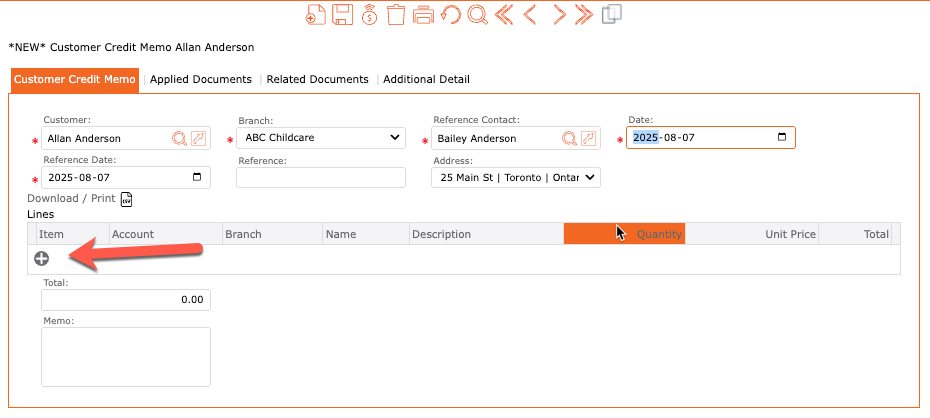
To Create a Manual Credit to the payer
- Accounts Receivable
- Billing
- Create a manual credit to the payer,
- Make sure to reference the child,
- Under “Lines”
- Click the +
- Item = Select the Fee item as per your subsidy provider setup (see instructions below)
- Fill out the dollar amount missed
- Click check mark to confirm
- Review information
- Click the POST icon when to complete
Subsidy Provider Setup:
The Fee Item for the manual credit/ invoice to the parent/guardian, should be the one used in the Subsidy Provider Setup > “Payer Payment Offset Item”.
In this example (screenshot below), the Payer Payment Offset Item = Fee Item “Charged to Subsidy”
